Too Many Apps at Work: The Real Cost of Tool Sprawl
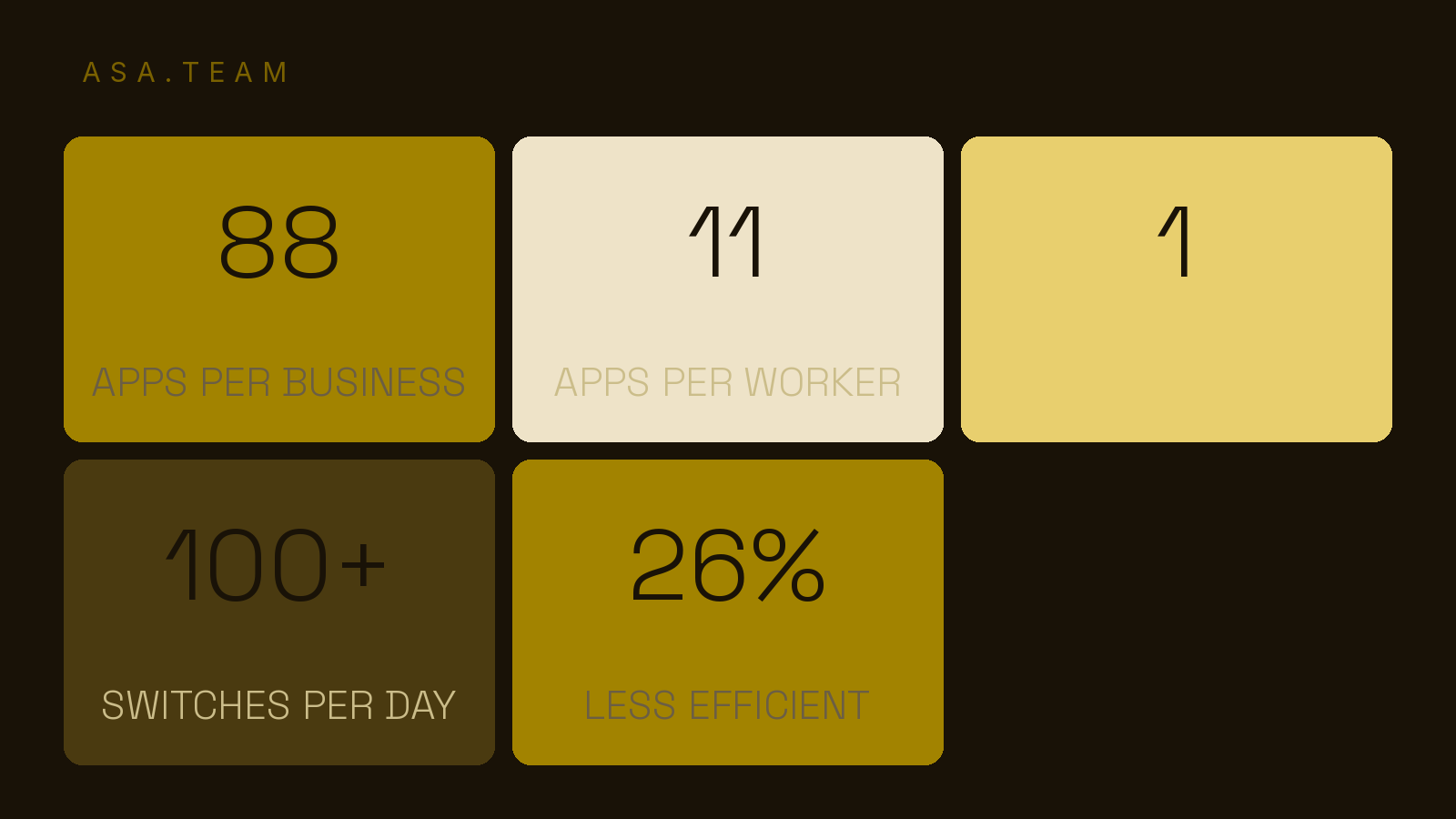
The average company runs 88 apps and desk workers switch between them 1,100+ times a day. Here's what tool sprawl actually costs — and how to fix it.
It's Monday, and the verdict is in: you have too many apps at work. Before your first real task you've already logged into Slack, answered two messages in Microsoft Teams, checked an update in Notion, triaged an email thread in Outlook, and opened a project tracker you last updated three weeks ago. None of these tools is bad on its own. Together, they're quietly eating your day.
This is tool sprawl — and it's not a productivity aesthetic problem. It's a measurable cost hiding in plain sight: messages missed, decisions made from stale information, and hours lost to switching between applications. The evidence is consistent across years of workplace research. Here's what the data actually says about too many work apps — and what a leaner, more deliberate stack looks like.
The data: how many apps your team is really juggling
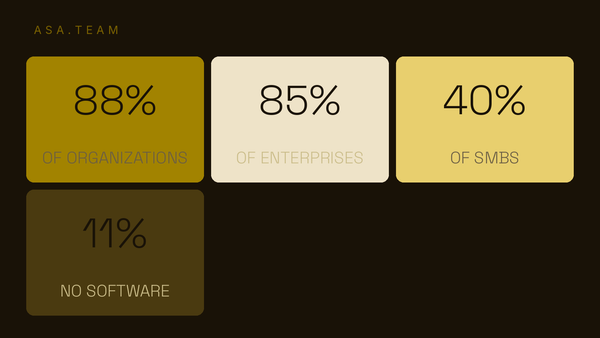
Start with the raw count. The average business today runs about 88 applications, according to Okta's Businesses at Work report — up from 72 apps in 2016. Technology companies average 155 apps; finance and banking companies average around 105. The tool catalog has grown every year since Okta started measuring it, and nothing about the trend suggests it's reversing.
Per-person, the picture is just as crowded. Gartner found the average desk worker uses 11 applications to complete their tasks, nearly doubling from just six in 2019. Every one of those apps is a place where a project update can sit, a notification can be ignored, and a status can quietly go stale.
| Measure | 2016–2019 baseline | Most recent | Source |
|---|---|---|---|
| Apps per business | 72 (2016) | 88 | Okta |
| Apps per desk worker | 6 (2019) | 11 | Gartner |
| App switches per day | — | 1,100+ | Pegasystems |
The more apps your team touches, the more places a project update can hide — and the harder the truth becomes to find.
App switching has a real, documented cost
The count matters less than what people do with it. A Pegasystems study of nearly 5 million hours of live desktop activity found the average employee switches between 35 job-critical applications more than 1,100 times every day. Rule-of-thumb math: every switch carries a small cost of attention — a half-second to find the window, a few seconds to recall context, a beat to re-orient. Multiply by 1,100 and you're losing a substantial chunk of every working day before you even start on the work itself.
That's the silent part. The louder part is what sprawl does to awareness. Asana's Anatomy of Work research found more than one-quarter of workers say switching between work apps makes them miss actions and messages, and 26% report app overload makes them less efficient overall. Gartner's survey pushed further: nearly half of employees say they struggle to find the information they need to get work done, and more than one-third say they've missed important updates because of the sheer number of apps and the volume of data flowing through them.
Think about what "missing an important update" means in practice. It means a client deliverable that shipped with the wrong spec. It means a decision made on last week's numbers. It means a teammate finishing work that turned out to be redundant. None of that shows up in your app spend — it shows up in rework, and rework is one of the most expensive things a team can do with its time.
Notice that none of this is an argument against any individual product. Spreadsheets are fine; so is a chat app and a wiki. The damage is structural — it lives in the boundaries between tools, in the handoffs nobody owns, in the assumption that because the information exists somewhere, it will reach the person who needs it. The more apps you adopt, the more of those unowned handoffs you create. That's why the fix isn't "buy a better tool." It's deciding, explicitly, which tool owns the answer to "what is the status of this project" — and then holding every team accountable to that single answer.
Why "one more tool" feels so reasonable right up until it isn't
Nobody adopts eleven applications deliberately. Each one was added to solve a specific problem: the team needed a place for docs, then a channel for quick questions, then a project tracker, then a dashboard for the client. Every purchase is a reasonable local decision. The problem is that nobody is accountable for the global outcome — what the whole stack is doing to the people who live inside it every day.
There's a compounding effect most teams miss. Each new app doesn't just add a login; it adds a new source of truth for some slice of the work. The tracker says one thing, the chat thread says another, and the email chain says a third. When project status is fragmented across tools, the truth itself becomes a negotiation — and the people asking "what's the real status?" lose the thread completely.
You can see this in the numbers. SHRM has documented the "app-athy" that sets in when teams juggle 10 or more work-related apps, each with a different interface and a different way of getting in the way. When switching apps interrupts a workflow, the tool that was supposed to help becomes just another interruption.
The hidden tax: busy work teams quietly drop
Here's what makes tool sprawl different from other productivity problems: it taxes the work nobody volunteers for. Status updates feel like paperwork, so they get deferred — and the more tools there are, the more effort it takes to notice a status is stale. Gartner found more than one-third of employees missed important updates entirely, while nearly half have watched relevant information get buried under the volume. The cost compounds because stale information has a way of looking current. It sits in an app you've already paid for, right next to a "last updated" timestamp nobody believes.
Meanwhile, the underlying need for coordinated work hasn't changed. People still need to know what's done, what's blocked, and what's coming next. Tools were supposed to make that easier, and individually they do. Collectively, across 88 apps, they make the simple question "what's the real status?" genuinely hard to answer. When it's hard to answer accurately, teams improvise: more nudges in chat, more "bumping this" messages, more meetings to reconstruct a shared picture that should have existed in the tools all along.
The real cost is losing the thread across teams
Tool sprawl hurts individuals, but it's on teams that it does its worst damage. When every team's updates live in a different place, leaders stop being the source of truth and start being the ones asking for the fifth time what happened. That's not a spending problem — it's an information problem, and it's exactly why consolidating your stack is only half of the fix.
Consolidation alone fails when teams still gather their real information in channels — because that's where work actually happens. Yes, you can trim the stack, cut the redundant apps, and get the count down. But if the status of a project still lives in whichever chat window someone last remembered to type it into, you haven't solved the problem; you've just given it a smaller place to hide. The organizations that keep the thread through a growth spurt don't just have fewer tools — they have a single, legible answer to "where do I go to know what's actually true about this project right now?"
What good looks like
The fix isn't austerity — you don't need to delete every tool above the bare minimum, and a one-tool-only stack is its own kind of misery. The fix is a stack with a clear owner and a clear source of truth for every type of work. Conversations can live in chat. Documents can live in a wiki. But the project's real status — what's done, what's blocked, what's next — needs exactly one authoritative place, and that place needs to stay current without anyone doing a manual "status update" ritual.
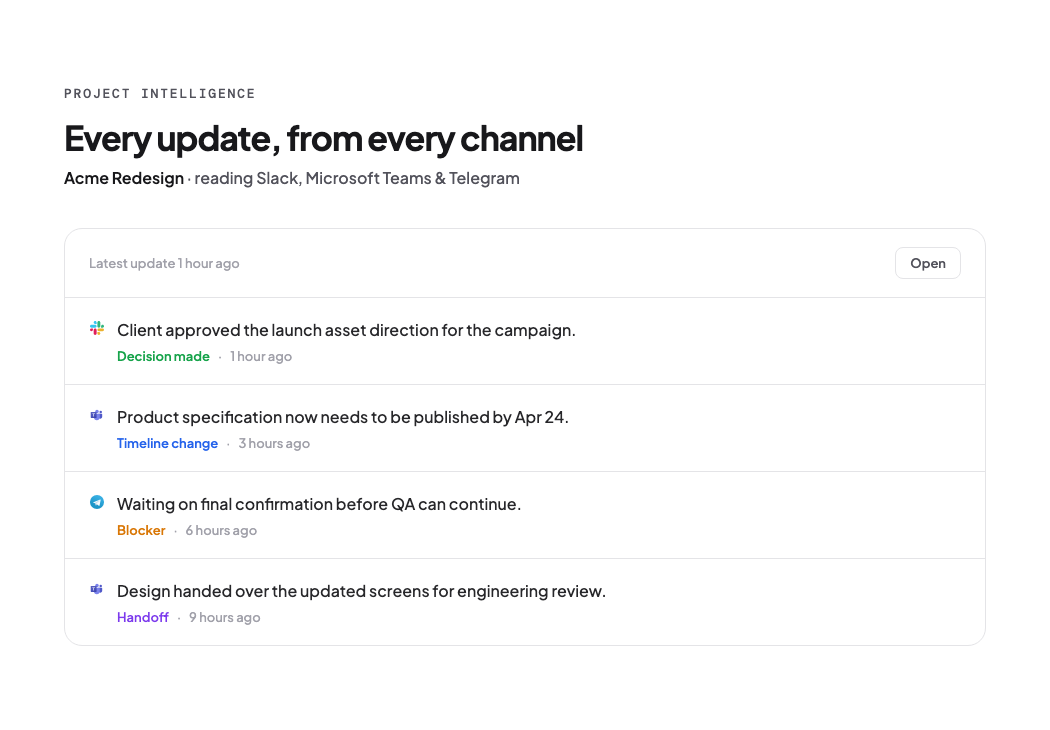
That's the gap most teams never close. The tools for conversation and creation are great at what they do; they're just terrible at consolidating the state of a project. This is what Project Intelligence is for — a layer that watches the updates flowing through Slack, Teams, Telegram, and WhatsApp and surfaces the actual state of your projects in one place, so a leader can see what's really done, blocked, and next without opening eleven apps and stitching the story together by hand. You stop losing the thread because the thread stops living in eleven places.
Frequently asked questions
How many apps does the average company use?
Around 88 per business, according to Okta's Businesses at Work data, but the number climbs steeply by industry — technology companies average roughly 155 and finance companies around 105.
Does having too many apps actually hurt productivity?
Yes. Asana's research found 26% of workers say app overload makes them less efficient, and more than one-quarter report missing messages and actions because of frequent app switching. Gartner found nearly half of desk workers struggle to find the information they need.
How often does the average employee switch between apps?
A Pegasystems study of desktop activity put it at more than 1,100 switches per day across roughly 35 job-critical applications.
How do I reduce tool sprawl at my company?
Pick a single source of truth for project status, document which tools own which type of work, and audit the stack regularly. The goal isn't the fewest apps — it's knowing exactly where the real state of each project lives.