How Much Time Do Employees Spend Searching for Information? The Real Benchmark
Depending on which study you read, employees spend between 1.8 and 3.6 hours a day searching for information — and the number has been climbing for a decade. Here are the benchmarks, where the hours go, and what good looks like.
Time spent searching for information is the tax nobody budgets for. It is 3:47 p.m. and the project lead has seven tabs open, three chat threads, and a spreadsheet that is two weeks stale — all to answer one question: where does the launch actually stand? The information exists. It is just not findable. So how much time do employees spend searching for information every day? Depending on which study you read, the honest range is 1.8 to 3.6 hours per day — and the number has been climbing for a decade. In this post: the benchmarks, where the hours actually go, and what good looks like when the hunt finally stops.
The benchmark: 1.8 hours a day — and the famous fifth employee
The most cited number in this space comes from a McKinsey analysis of the social economy, which found that employees spend 1.8 hours every day — 9.3 hours per week, on average — searching and gathering information. Cottrill Research, which aggregates the survey data, frames it memorably: businesses hire five employees but only four show up; the fifth is off searching for answers, contributing no value.
Other estimates from the same era land in the same territory. A 2025 Crown RMS breakdown of the McKinsey data puts it as roughly a quarter of a working day: employees spend an average of 1.8 hours each day searching, which means almost 25% of a working day simply vanishes. IDC data cited in the same research circle puts the knowledge worker at 2.5 hours per day, or roughly 30% of the workday, searching for information — with 60% of executives saying time constraints and unclear search habits were preventing employees from finding what they needed.
A separate measurement from Interact found that 19.8% of business time — the equivalent of one day per working week — is wasted by employees searching for information to do their job effectively. Three different studies, three different methodologies, one conclusion: roughly a fifth to a third of a knowledge worker's week goes to the hunt, not the work.
It is getting worse, not better: the Coveo 3.6 hours
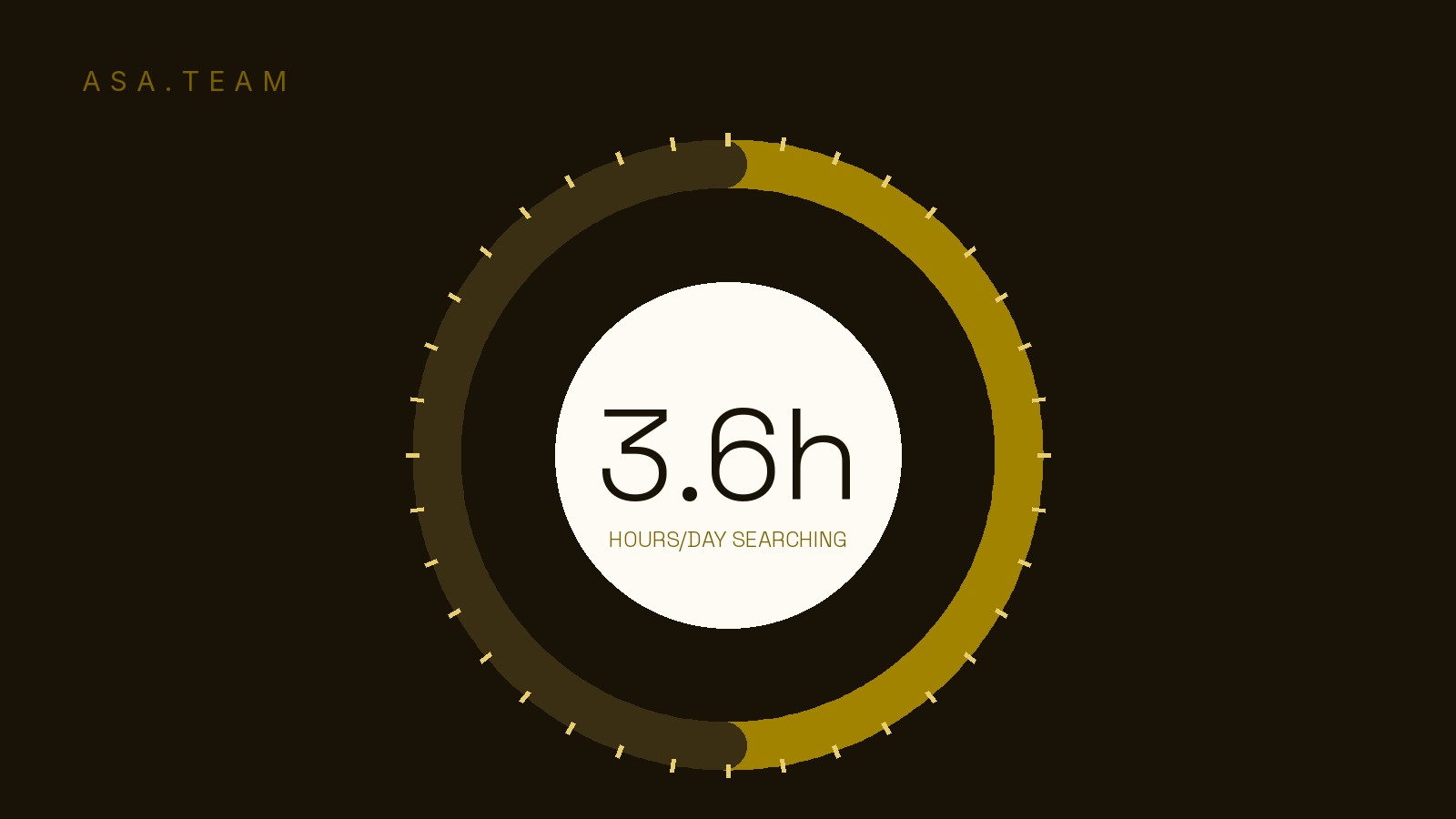
The most recent large-sample measurement suggests the problem has nearly doubled since the McKinsey-era baseline. A 2022 Coveo study covered by VentureBeat — which surveyed 4,000 workers across the UK and US through Arlington Research — found that the average employee spends 3.6 hours daily searching for information, an increase of one full hour from the year before. For IT employees it is worse: 4.2 hours a day, half their working day, looking for relevant information.
The same figure is echoed by Happeo's summary of the Coveo research: 3.6 hours a day spent searching, up an hour from the previous year's report. The direction of travel matters more than the exact decimal. In 2012-era studies workers spent under two hours a day searching; by 2022 the consensus measurement was closer to three and a half. Academic work continues to examine the same phenomenon — a 2024 iConference paper by Nakash and Bouhnik studied exactly how much time the workforce spends searching for information and how remote work changed the perception of that time.
Why is the number going up instead of down, when search tools are better than ever? Because the problem was never search quality. It is information dispersion: more sources, more tools, more places where the answer could live.
Businesses hire five employees but only four show up — the fifth is off searching for answers.
Where the hours actually go: dispersion, not search
The Coveo study is blunt about the root cause. 58% of people blamed excessive search time on having too many knowledge sources to sift through. The same report found that 60% of employees have to search within four or more data sources every day, and 18% stumble between seven or more. The problem is not that search is broken; it is that the organization's knowledge is spread across more places than anyone can keep straight.
Recent vendor research points the same direction. An AgilityPortal breakdown of time-waste data puts the share at about 20% of the workweek spent searching for and gathering information, with 4 to 6 hours a week spent looking for documents alone — and notes that 56% of employees rely on others for information, often because updates are scattered. That last number is the one that should stop you: more than half of your team's information retrieval is actually asking a human.
The single largest category of that scattered information, for most teams, is project status. Updates live in a Slack thread here, a Teams channel there, a status field that nobody updates, and an email that went to three people but not the fourth. This is exactly the failure mode we documented in why project updates get lost in Slack: every new channel adds a place an update can land, and every additional place makes the hunt longer. Add in the general cost of tool sprawl — more apps, more logins, more places to check — and the 3.6-hour day starts to look structural, not accidental.
The measurable toll is more than lost minutes. In the Coveo survey, 31% of people said the frustration of being unable to find information made them feel burned out, and 16% said it made them want to leave their company. Information chaos is a retention issue disguised as a productivity issue.
What good looks like: when updates surface instead of being hunted
Teams that escape the search tax do not buy a better search bar. They shrink the number of places an answer can live in the first place — and they make the information that matters come to them, instead of requiring a hunt.
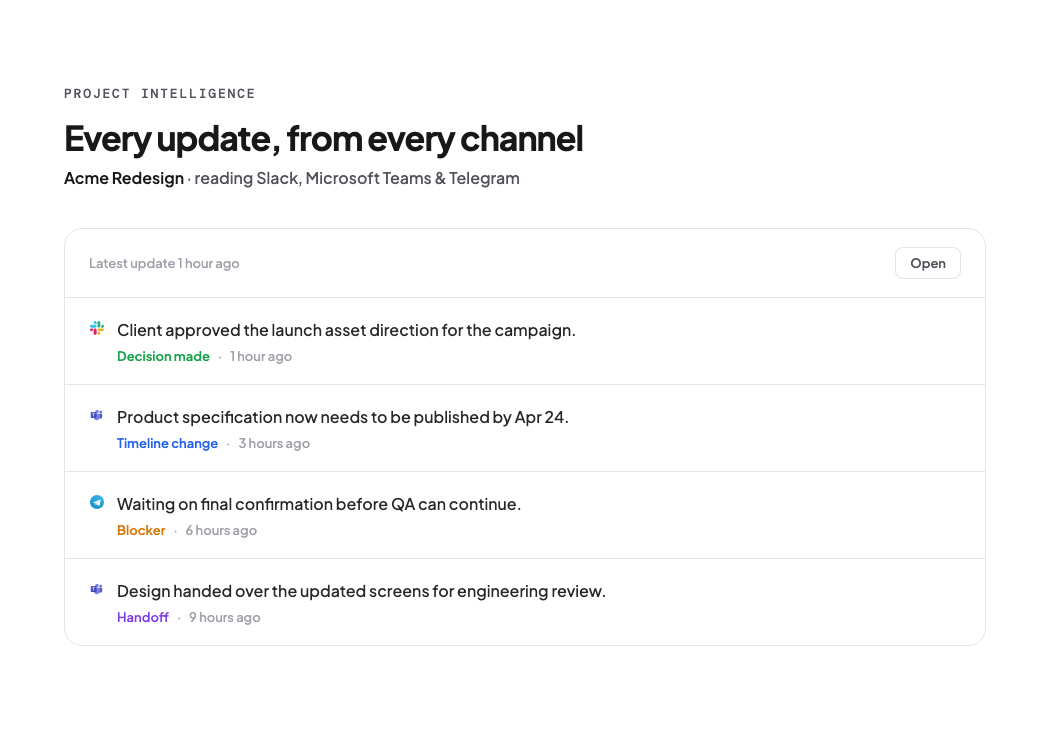
The pattern looks like this: status updates surface automatically from the tools people already use — the chat threads, channels, and messages where the work is actually discussed — and land in one place a leader can read in seconds. No tab archaeology, no asking three people, no spreadsheet that is always a day behind. The information moves toward the person who needs it, rather than waiting to be dragged out.
- Carve the status channel. When project updates have a designated home that everyone checks, the "where is X?" message drops dramatically. The update stops being a search task and becomes a read task.
- Route by exception. Surface blockers and risks automatically; leave routine progress alone. People stop scanning for needles when the haystack stops arriving.
- Track the hunt, once. If you want the motivator, measure one week of "time spent looking for status or documents." The number is usually bigger than anyone guesses — and it resets the priority list.
That is precisely the problem Asa.Team's Project Intelligence is built around: it surfaces updates, blockers, and risks from Slack, Teams, Telegram, and WhatsApp — the conversations your team already has — and pulls them into a single Project Intelligence view. Leaders see where each project actually stands without opening five apps or sending a single "any update?" message. It does not add another source to hunt through; it removes the hunting.
This also connects to the broader pattern we have covered: silent context loss is why teams keep falling behind despite everyone working hard, and notification overload is what makes people stop reading updates that do arrive. The fix is not more discipline — it is routing the information that already exists. See how it plays out on the live demo.
Frequently asked questions
How much time do employees spend searching for information? Between 1.8 and 3.6 hours a day depending on the study. McKinsey-era research puts it at 1.8 hours daily (~9.3 hours a week); IDC at 2.5 hours (~30% of the workday); Coveo's 2022 survey of 4,000 workers found 3.6 hours daily, up from 2.6 the year before.
What percentage of work time is wasted searching for information? Interact measured 19.8% of business time — about one day per working week. IDC put it near 30% of the workday. Recent vendor research lands around 20% of the workweek.
Why do employees spend so much time searching for information? Dispersion, not search quality. In Coveo's study 58% blamed having too many knowledge sources, and 60% search within four or more data sources every day. The answer lives in too many places.
Does Asa.Team reduce time spent searching for information? It targets the largest single category — project status. Asa.Team's Project Intelligence surfaces updates from Slack, Teams, Telegram, and WhatsApp automatically, so leaders read status instead of hunting for it.
The benchmarks at a glance
| Source | Year | Finding |
|---|---|---|
| McKinsey (via Cottrill) | 2012 | 1.8 hours/day; 9.3 hours/week |
| Crown RMS (McKinsey data) | 2025 | ~25% of a working day |
| IDC (via Cottrill) | 2013 | 2.5 hours/day; ~30% of workday |
| Interact | 2013 | 19.8% of business time (~1 day/week) |
| Coveo / Arlington Research | 2022 | 3.6 hours/day; IT 4.2 hours; up 1h YoY |
| AgilityPortal roundup | 2026 | ~20% of workweek; 4–6 hrs/wk on documents |
The real question
The next time a teammate says "I can't find the status," do not solve the search. Solve the dispersion. Every answer that lands in a predictable place is an hour of the workweek given back — and the research says there are 1.8 to 3.6 of those hours per person per day available.
How much of your team's week is currently spent looking for information that already exists?
Asa.Team's Project Intelligence surfaces project updates from Slack, Teams, Telegram, and WhatsApp so leaders stop hunting — see it on the live demo.