RAID Log vs. Risk Register: The Real Difference (And Which One You Need)
RAID log and risk register aren't the same tool. Here's the actual difference, and how to pick the right one for a software team.

Your engineering lead pings you: "Are we tracking the API rate-limit risk somewhere, or did that just live in someone's head after standup?" You open three tools. It's not in Jira. It's not in the sprint doc. It was mentioned once, in a thread, nine days ago, and nobody wrote it down. Now it's a production incident.
This is the moment teams start Googling RAID log vs. risk register — because someone on a call just used one of the terms like it was obvious, and you're not sure if they mean the same thing or if you're supposed to be running both. You're not alone: most PM software vendors use the terms almost interchangeably, which is exactly why nobody can tell them apart. This is an 8 min read.
Short version: they overlap, but they're not the same tool, and using the wrong one for your team size is why half of these logs die three weeks after someone builds them in a spreadsheet.
- What a RAID log actually tracks
- What a risk register actually tracks
- RAID log vs. risk register: the core difference
- Why software teams default to RAID logs — and where that breaks
- How to build a RAID log people actually update
- When you actually need both
What a RAID log actually tracks
A RAID log is a single running document that tracks four categories of project noise in one place: Risks, Assumptions, Issues, and Dependencies (some teams swap in Decisions for the "D," which matters more than it sounds like — more on that below).
The point isn't the acronym. It's that a RAID log refuses to separate "things that might go wrong" from "things that are already wrong" from "things we're assuming are true but haven't checked" from "the other team we're blocked on." In most real projects, those four things are tangled together, and splitting them into four separate documents means nobody reads any of them.
- Risks — things that could happen and would hurt the project if they did (a vendor API might change its rate limits)
- Assumptions — things you're treating as true without proof (we're assuming design will hand off mockups by Friday)
- Issues — risks that already happened, or problems that showed up with no warning (the vendor did change the rate limit, and now the export feature is broken)
- Dependencies (or Decisions) — work you can't finish without another team, or choices that were made and need to stay made
A RAID log is a working document. It's meant to be opened during standup, updated mid-sprint, and skimmed by anyone who needs a fast answer to "what's currently at risk on this project."
What a risk register actually tracks
A risk register only tracks risks — but it goes much deeper on each one than a RAID log ever does. Where a RAID log might have a single row that says "vendor API rate limits, medium risk," a risk register wants:
- A likelihood score (often 1–5)
- An impact score (also 1–5, sometimes broken into cost/schedule/quality)
- A calculated risk exposure (likelihood × impact)
- A named owner accountable for monitoring it
- A documented response plan and, often, a contingency budget
This is a governance artifact, not a working doc. It's built for a steering committee, an audit, or a PMO that needs to defend a budget decision six months from now. Formal risk registers are typically reviewed on a schedule — monthly, quarterly — not glanced at during a daily standup.
That distinction shows up in the data on why projects miss their marks in the first place. According to the Standish Group's CHAOS Report, unclear or changing requirements were the leading factor in troubled and failed projects, at 24% — ahead of budget and timeline issues combined. A risk register is built to defend against that kind of failure at the governance level. It's rarely built to catch it in week three of a sprint.
RAID log vs. risk register: the core difference
A risk register asks "how bad could this get, and who's accountable for it." A RAID log asks "what's true right now that the team needs to know before tomorrow's standup." Most software teams need the second question answered far more often than the first.
The comparison gets clearer side by side:
| Dimension | RAID log | Risk register |
|---|---|---|
| Scope | Risks, Assumptions, Issues, Dependencies/Decisions | Risks only |
| Depth per item | Shallow — a line and a status | Deep — scoring, owner, response plan |
| Owner | Delivery team (PM, tech lead, scrum master) | Steering committee or PMO |
| Update cadence | Weekly or continuous, during delivery rituals | Monthly or quarterly, formal review |
| Best for | Sprint-level visibility, cross-team coordination | Governance, audits, budget defense |
Neither one is "better." A risk register with no RAID log means your steering committee has a beautifully scored spreadsheet that nobody on the delivery team has opened since kickoff. A RAID log with no risk register means you have zero paper trail the day a stakeholder asks why a six-figure risk wasn't escalated sooner.
Why software teams default to RAID logs — and where that breaks
Engineering and product teams gravitate toward RAID logs because sprint-based work generates all four categories constantly, and they're rarely worth separating. A flaky third-party API is simultaneously a risk (it might fail again), an issue (it already failed once), and a dependency (you can't ship until it's fixed). Filing that in three different systems is how teams stop filing it at all.
Where this breaks is the "D." Most RAID log templates default to Dependencies, but the version that actually prevents rework tracks Decisions instead — or both. Decisions are the quietest failure mode in software teams: nobody documents why the team chose Postgres over DynamoDB, and eight months later a new hire proposes migrating back, and the same argument happens again. As explored in Decision Debt: Why Your Team Keeps Relitigating the Same Choices, undocumented decisions don't disappear — they just resurface as a future argument.
Dependencies deserve their own line item too, and for the same reason: they're invisible until they're not. A RAID log that tracks "waiting on Platform team to ship the new auth endpoint" turns a silent blocker into a visible one before it derails a release — the same failure pattern covered in Why Cross-Team Dependencies Are Derailing Your Roadmap.
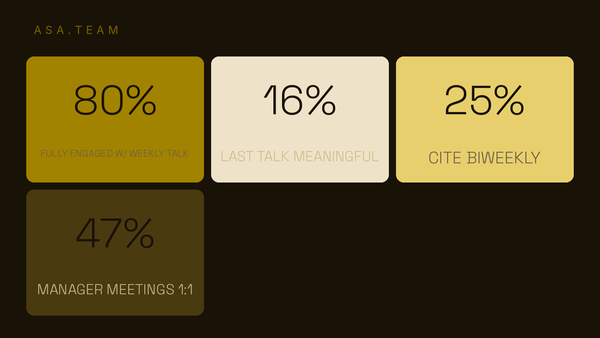
The bigger problem isn't which categories you track — it's that most teams don't track any of them consistently. A 2025 Lucid survey of roughly 2,200 knowledge workers found that only 16% describe their workflows as extremely well-documented, and 71% say undocumented or ad-hoc processes hurt their team's efficiency at least sometimes. A RAID log is a low-effort way to close that gap without asking anyone to adopt a new tool.
How to build a RAID log people actually update
Most RAID logs die the same way: someone builds a beautiful spreadsheet in week one, and by week four it's three sprints out of date. The fix isn't a better template — it's fewer fields and a fixed home in an existing ritual.
- Pick a category set and stop debating it. Risks, Issues, Decisions, Dependencies. Don't also add Actions and Assumptions unless your team is large enough that the distinction earns its keep.
- Give every row five fields, no more: what it is, category, owner, status, date raised. Anything deeper belongs in a risk register, not here.
- Attach it to a ritual that already exists. Review new and changed rows at standup or sprint planning — don't create a standalone "RAID log review meeting."
- Name one owner for the log itself, not just for individual rows. Someone has to notice when it goes stale.
- Archive closed items instead of deleting them. A resolved risk is a decision record for the next person who asks "didn't we already deal with this?"
Run this as a quick health check on whatever you're using today:
- Has anyone added a row in the last seven days?
- Can a new team member find it without asking where it lives?
- Does every open row have a named owner — not "the team"?
- Would today's biggest blocker actually get logged here, or would it just get mentioned once in Slack and forgotten?
If you answered no to more than one of those, the log isn't dead because the format was wrong. It's dead because nobody made it anyone's job. According to Atlassian's State of Teams 2025 report, a survey of 12,000 knowledge workers and 200 executives, leaders and teams waste 25% of their time just searching for answers — a cost that a RAID log with a clear owner is specifically designed to cut down.
When you actually need both
Small and mid-sized software teams usually need exactly one RAID log and nothing else. The moment you need a risk register too is the moment a risk gets big enough that someone outside the delivery team — a VP, a client, a board — needs a documented, scored, owned response to it.
A practical rule: if a risk from your RAID log needs a dollar figure attached to defend a budget decision, promote it into a lightweight risk register. Leave everything else where the team already looks for it. Running a full formal risk register for a five-person feature team is how governance overhead quietly becomes the thing that's actually slowing delivery down.
The real shift
The RAID log vs. risk register question isn't really about which acronym to memorize. It's about matching the weight of your tracking to the size of the decision. Sprint-level noise — a flaky dependency, an unresolved decision, a risk nobody's watching — needs a place that's checked daily and costs nothing to update. Budget-defending, board-level risk needs formal scoring and a named accountable owner.
Most teams' actual failure isn't picking the wrong tool. It's that whichever one they picked lives in a document nobody opens, updated by whoever remembers to, discovered by everyone else only after it becomes an incident. Some teams are now letting that log build itself — for example, Asa's Project Intelligence feature pulls risks, blockers, and decisions straight out of the conversations teams are already having, rather than waiting for someone to remember to log them. But whether it's automated or a shared doc, the fix is the same: make the update effortless enough that it survives past week three.
Frequently asked questions
Is a RAID log the same as a risk register?
No. A risk register only tracks risks, in depth, with scoring and a named owner, and is typically reviewed by a steering committee or PMO. A RAID log tracks four lighter-weight categories — Risks, Assumptions/Actions, Issues, and Dependencies/Decisions — and is meant to be updated continuously by the delivery team itself.
Does a RAID log replace a risk register?
For most software teams, yes, in practice — a RAID log covers day-to-day visibility that a formal risk register never gets used for. But once a risk is large enough to need budget justification or executive sign-off, it's worth promoting it into a proper risk register rather than leaving it as a single row.
What does the "D" in RAID log stand for — Dependencies or Decisions?
Both versions exist, and teams pick based on what actually bites them. Dependencies (cross-team blockers) suit teams coordinating across multiple squads. Decisions (documenting why a call was made) suit teams that keep relitigating the same architectural or product choices. Some teams track both and just add a fifth column.
Who should own a RAID log on a software team?
One person — usually a PM, tech lead, or scrum master — should own the log itself, meaning they notice when it goes stale and prompt updates. Individual rows should each have their own named owner too; a row assigned to "the team" is a row nobody will act on.