
How to Track Project Hours Without Micromanaging Your Team
For agency owners and team leaders, tracking project hours is a non-negotiable part of running a profitable business. You need to know where your team’s time is going to bill clients accurately, prevent scope creep, and ensure your fixed-fee projects aren't quietly draining your margins.
But for employees, time tracking often feels like a lack of trust. Rigid stopwatches, constant check-ins, and complex timesheets can quickly create a culture of micromanagement, leading to burnout and anxiety.
So, how do you bridge the gap? How do you get the critical budget and resource data your business needs without making your team feel like they are constantly being watched? The secret lies in shifting your focus from surveillance to flexibility, and giving your team tools that fit naturally into their day.

Why Traditional Time Tracking Fails
The biggest mistake companies make when implementing project tracking is treating it as a productivity enforcer rather than a financial tool. When leadership demands minute-by-minute breakdowns of a workday, employees naturally become defensive.
Traditional time tracking often relies on start-and-stop timers. If an employee forgets to click "start" when they switch from answering an email to working on a client deliverable, they have to guess the time later, leading to inaccurate data. Worse, it penalizes the natural rhythm of knowledge work, which often involves context switching, brainstorming, and brief pauses.
When time tracking feels like a chore or a trap, employees will either pad their hours to look busy or rush through tasks to keep their timers low. In both cases, the data you collect becomes useless for actual project budgeting.
Focus on Outcomes and Budgets, Not Surveillance
To track project hours successfully, you need to reframe the conversation. Be transparent with your team about why you are tracking time. Explain that the goal isn't to see if they took a 15-minute coffee break, but to understand if a client project is taking twice as long as estimated.
When employees understand that project tracking is about protecting the company's profitability—and by extension, protecting them from being overworked on under-scoped projects—they are much more likely to participate willingly. Shift the focus from "What exactly did you do between 10:00 AM and 11:00 AM?" to "How much of your day was dedicated to the Smith account?"

Embrace Flexible and Retroactive Logging
The most effective way to eliminate the feeling of micromanagement is to give your team autonomy over how and when they log their hours.
Instead of forcing employees to use a ticking stopwatch, allow them to allocate their hours retroactively. Many professionals prefer to sit down at the end of the day—or even the end of the week—and distribute their logged hours across their assigned projects. This flexible approach respects their workflow. It allows them to stay in a state of deep work without the constant interruption of managing a timer.
By allowing retroactive allocation, you are sending a clear message: I trust you to manage your time, I just need the final numbers for the client.
Make the Process Frictionless
If logging project hours takes more than a few clicks, your team will avoid doing it. The software you choose plays a massive role in how your team perceives the process.
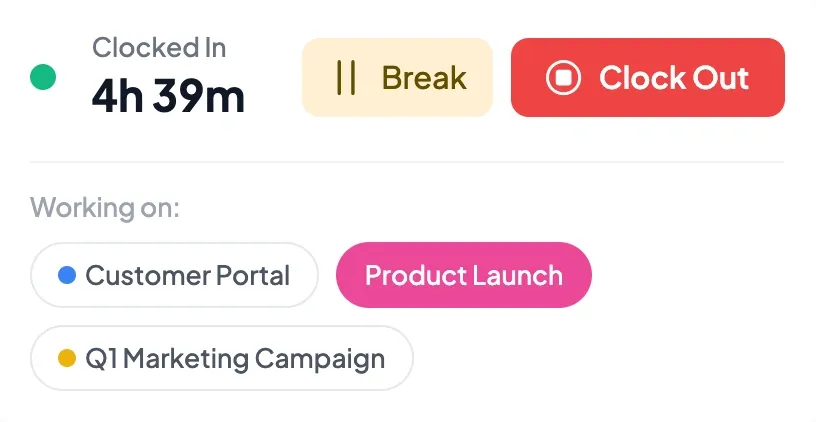
Look for tools that integrate project tracking directly into the actions your team is already taking. For example, if your team already clocks in for the day, they should be able to select their primary project at that exact moment. The less friction there is between doing the work and logging the work, the more accurate your data will be.
Track Your Projects Effortlessly with Asa.Team
If you want to track project budgets without breathing down your team's neck, you need software built for trust and flexibility.
Asa.Team was designed to make project tracking invisible to your team and incredibly powerful for managers. Instead of stressful stopwatches, your team can use One-Click Project Tracking to assign their time the moment they clock in. Prefer to log time later? Our Flexible Hour Allocation calendar lets employees retroactively distribute their hours at the end of the day with a simple, drag-and-drop interface.
While your team enjoys a frictionless experience, managers get a real-time Team Project Overview and automated Budget Tracking. You can instantly see if a fixed-fee project is nearing its limit or generate detailed client reports—all without ever having to tap someone on the shoulder.
Stop micromanaging and start managing your margins. Explore Project Tracking with Asa.Team today